

BitSpace’s Maker Curriculum
Your one-stop resource for all things maker ed in one convenient platform!
Our curriculum extensively covers information on tools, techniques, and materials, and a whole host of activities and projects that you can use in your classroom.
Backed by our collaboration with thousands of students and some of the most talented maker education professionals, this rich curriculum will help you bring design and making to your classroom in no time.
Curriculum Login
Don’t have an account? Get the curriculum.

The BitSpace Curriculum is more than just a collection of projects.
It’s a set of one-of-a-kind engagements, connected thoughtfully to video-supported training in various territories — Design Thinking, Communications, Material Construction, Digital Fabrication, and Electronics.
Why This Curriculum?
Curriculum by Design
Looking for a quick activity to solidify a math lesson and want it to include something tangible? We have that. Need a full semester’s worth of curriculum for your new makerspace? We have that, too.
Flexible and Applicable
Our curriculum is divided into content territories that can be used as stand-alone units or a comprehensive course of study. It is aligned with Common Core, Next Generation Science, and other widely implemented standards.
Kid-Tested, Educator-Approved
BitSpace has worked with thousands of students and has collaborated with some of the most talented maker education professionals to design this rich curriculum.
How It Works
The Structure
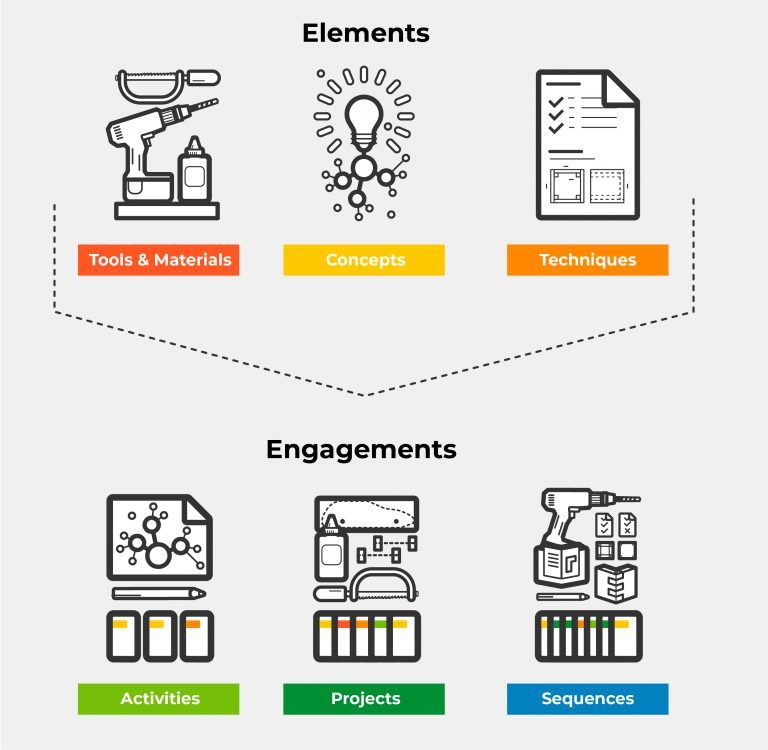
The curriculum is divided into two types of content: Elements and Engagements.
Elements are universal components that act as “building blocks” to support a variety of Engagements.
Tools/Materials: things we use
Concepts: ways of thinking
Techniques: ways of doing
Engagements are hands-on experiences that use the Elements in various ways over different lengths of time.
Implementation Options
Our flexible curriculum can be implemented in various ways to suit your classroom or out-of-school-time programming. Here are some options:
Use standalone engagements.
Choose from our collection of engaging projects and activities to connect your classroom to making. Select the engagements that align with your students, availability, and learning objectives.
Follow one (or more) of our sequences.
Each of the territories will offer a progressive sequence, focused on developing those particular territory skills.
Build your own projects.
If you have your own projects but need support in teaching techniques and getting students up to speed, our Concept and Techniques Elements are reusable building blocks. They are designed to be independent and provide guidance on tools, materials, and implementation to help bring your dream project to life.
Who We Are
After working with thousands of students, facilitating professional development for educators, and partnering with schools, BitSpace is supporting educators further through this comprehensive curriculum.
Every piece of content has been produced by our Guides who have spent the past five years redefining what’s possible for kids to do with design and making in the classroom.
Our curriculum is backed by a team with extensive education backgrounds and collaboration with experts in architecture, design, engineering, and computer programming.
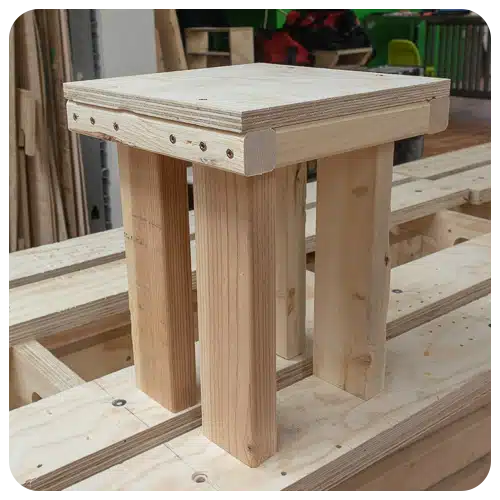
ACTIVITY
Table/Chair/Stand
A guided activity to teach the planning and construction of a four-legged project
TERRITORIES:
Material Construction
LEVEL: 1
HOURS: 1
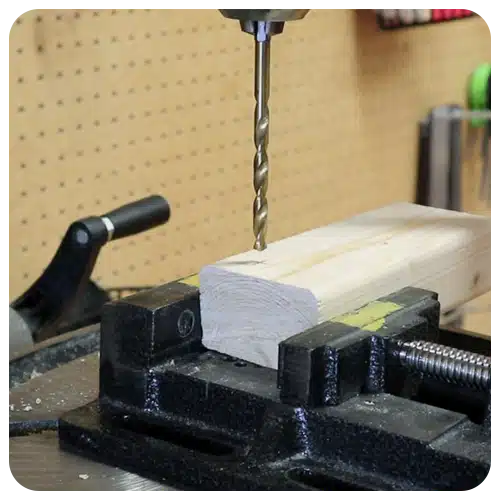
TECHNIQUE
Drilling: Using a Drill Press
Learn to use a drill press to drill holes in material.
TERRITORIES:
Material Construction
LEVEL: 1
HOURS: N/A
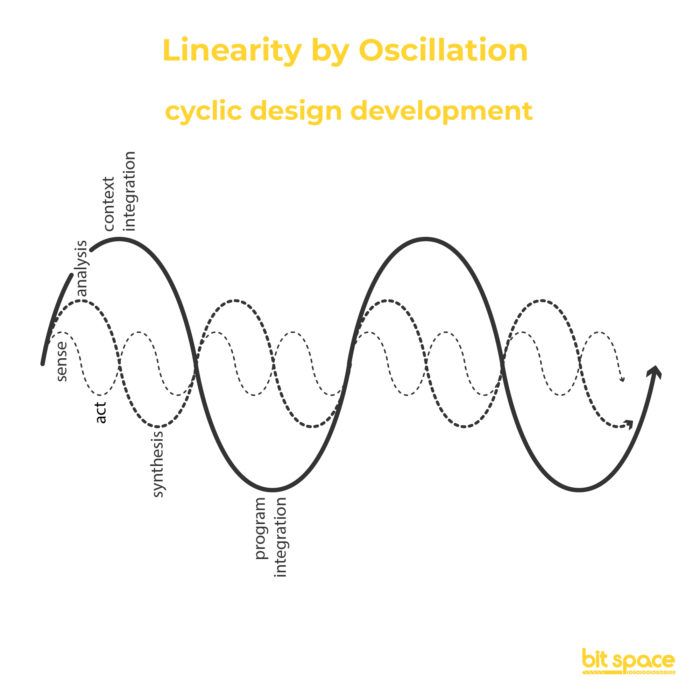
CONCEPT
Designer’s Lenses
An overview of the variety of ways designers approach their problems to help break the problem down.
TERRITORIES:
Design Thinking
LEVEL: 1
HOURS: 1
Licensing Options
Per Teacher Access
 Includes basic site support Access for 1 teacher
School-Wide Access
Includes basic site support Access for a maximum of 10 teachers
Need more help?
Click below to send us your question.
Frequently Asked Questions
Absolutely! Our curriculum can support students from 1st-12th grade as there is a wide range of lessons and activities available. Lessons can also be extended or scaffolded to support students at different levels.
The curriculum is primarily designed with in-person learning in mind. Some activities can be adapted to a remote environment but this would require some work by the teacher.
Yes! The curriculum is aligned to Common Core and NGSS Standards and can be integrated into lessons, used as the means to address standards, or as an extension of learning!
Our curriculum offers a diverse range of activities and projects that may require access to specific equipment or technology.
For example, woodworking lessons involve using woodworking tools, while InkScape/laser cutting activities may require computers and, if available, a laser cutter to bring designs to life.
The good news is that our curriculum is designed to cater to schools with different access to equipment. No matter what resources you have, there are engaging lessons and activities within the curriculum that you can enjoy.
The more tools and technologies you have at your disposal, the more opportunities there will be for exciting and relevant learning experiences.
Think of our curriculum as a way to maximize the potential of your maker space, helping you discover creative ways to incorporate all the tools and technologies available to enhance your students’ learning journey.
Our school-wide license provides access for up to 10 teachers. This gives your teachers the opportunity to engage with our curriculum, exchange ideas, and ignite a passion for making and design in their classrooms.
Teachers using the curriculum can contact our Director of Student Learning, Sam Gleisten, with questions or concerns. She would be happy to walk them through the implementation of any of our lessons, activities, or projects.